Docs - Account and billing
Your account and safety checks
In short
A ZUQ account is an email address and a password. Before your first build you confirm the address from the email we send, and a new Free account passes one quick check that you are a person before its 10 free minutes unlock.
Updated
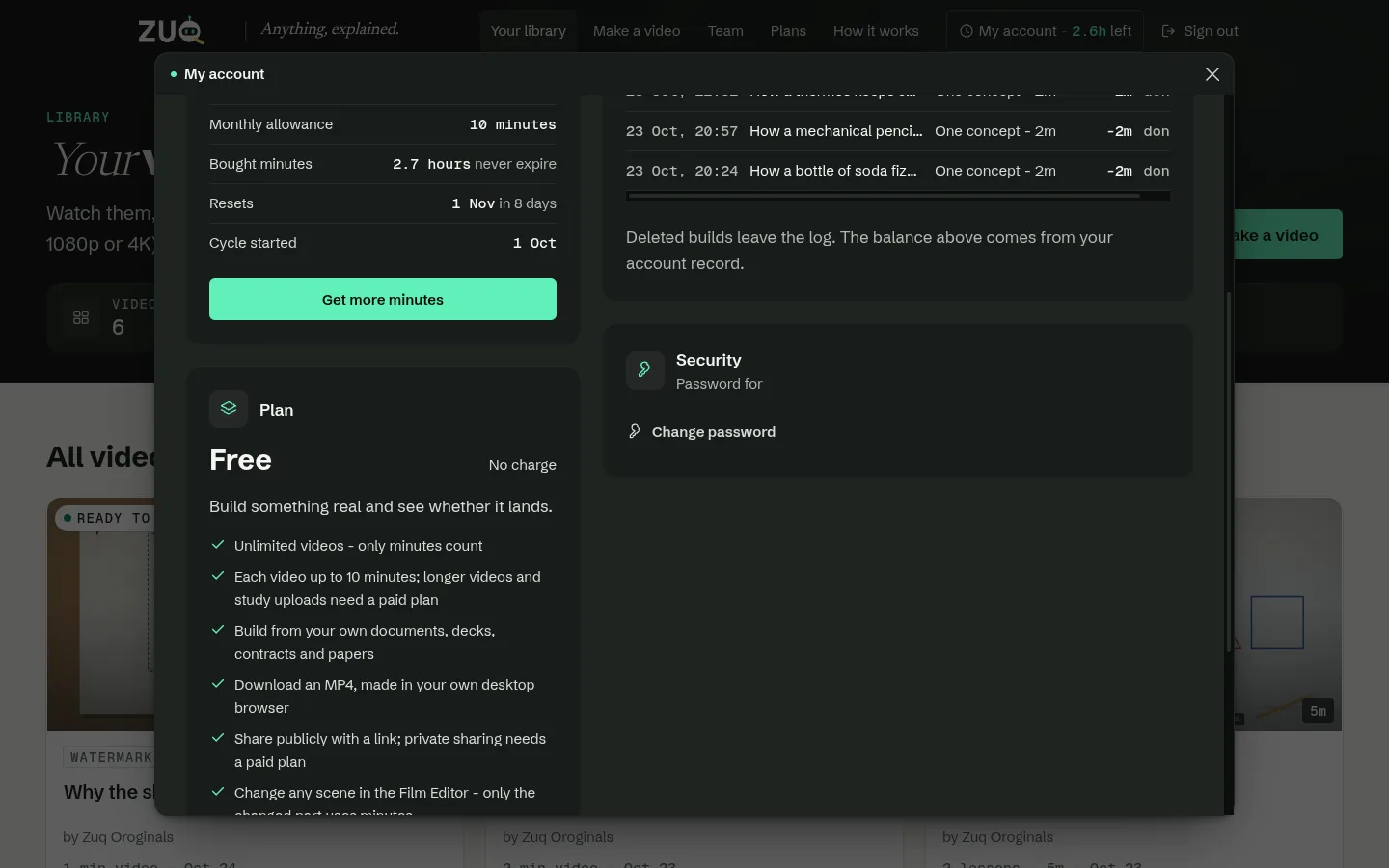
Your account dialog shows your plan, your minutes, your recent activity and your security settings.
Create an account and confirm your email
You can write a brief and plan a video before you confirm, but nothing is built until the address is confirmed. If the email does not arrive, use Send it again.
- Choose Sign in, then create an account with your email address and a password.
- Open the verification email and follow the link to confirm your address.
- Return to the tab you started in. If it asks, press Make again.
The one-time check on the Free plan
The first time a new Free account presses Make, a short checkbox check asks you to confirm you are a person. You pass it once; after that, Free builds start straight away. Paid accounts do not see it.
If traffic from your network looks unusual, you may be asked to complete a checkbox challenge before you continue.
Manage your account
Open My account from the header to see:
- Minutes this month: your allowance, what you have used, bought minutes and when the allowance resets.
- Your plan and its features, with Change plan or top up.
- Recent activity: each build's minutes held and any refunds.
- Security: change your password, or get a reset link by email.
- Sign out.
- Cancel account: ends your subscription at once and permanently deletes the account and everything on it, after you confirm with your password.
Reset a forgotten password
- Choose Sign in, then Reset it by email, next to "Forgot your password?".
- Enter your email address and send the link.
- Open the email and follow the link to set a new password.
Questions
Why can I not build a video yet?
Confirm your email address first, then press Make again. A new Free account also passes a one-time check before its free minutes unlock.
Can I sign in with Google?
No. Accounts use an email address and a password.
I did not get the verification email.
Check your spam folder, then use Send it again. If it still does not arrive, write to support@zuq.si.
Who can see my videos?
Only you and your team, until you share a video. Every video starts Private.
How do I delete my account?
Open My account, choose Cancel account and confirm with your password. Your subscription ends at once with no refund for the rest of the month, unused minutes and top-ups are lost, and the account, every video and course, their share links, uploaded material, build logs and cost records are permanently deleted. It cannot be undone. To cancel only your plan and keep the account, email support@zuq.si.