Docs - Getting started
Choose a format: explainer, training course or document video
In short
ZUQ makes three kinds of video. An Explainer takes one idea from first principles to the point where you can use it, from 1 minute to 3 hours. A Training course teaches a subject lesson by lesson, from 5 minutes to 30 hours. A Document video explains a contract, policy, RFP or other document you hand over, from 1 minute to 3 hours.
Updated
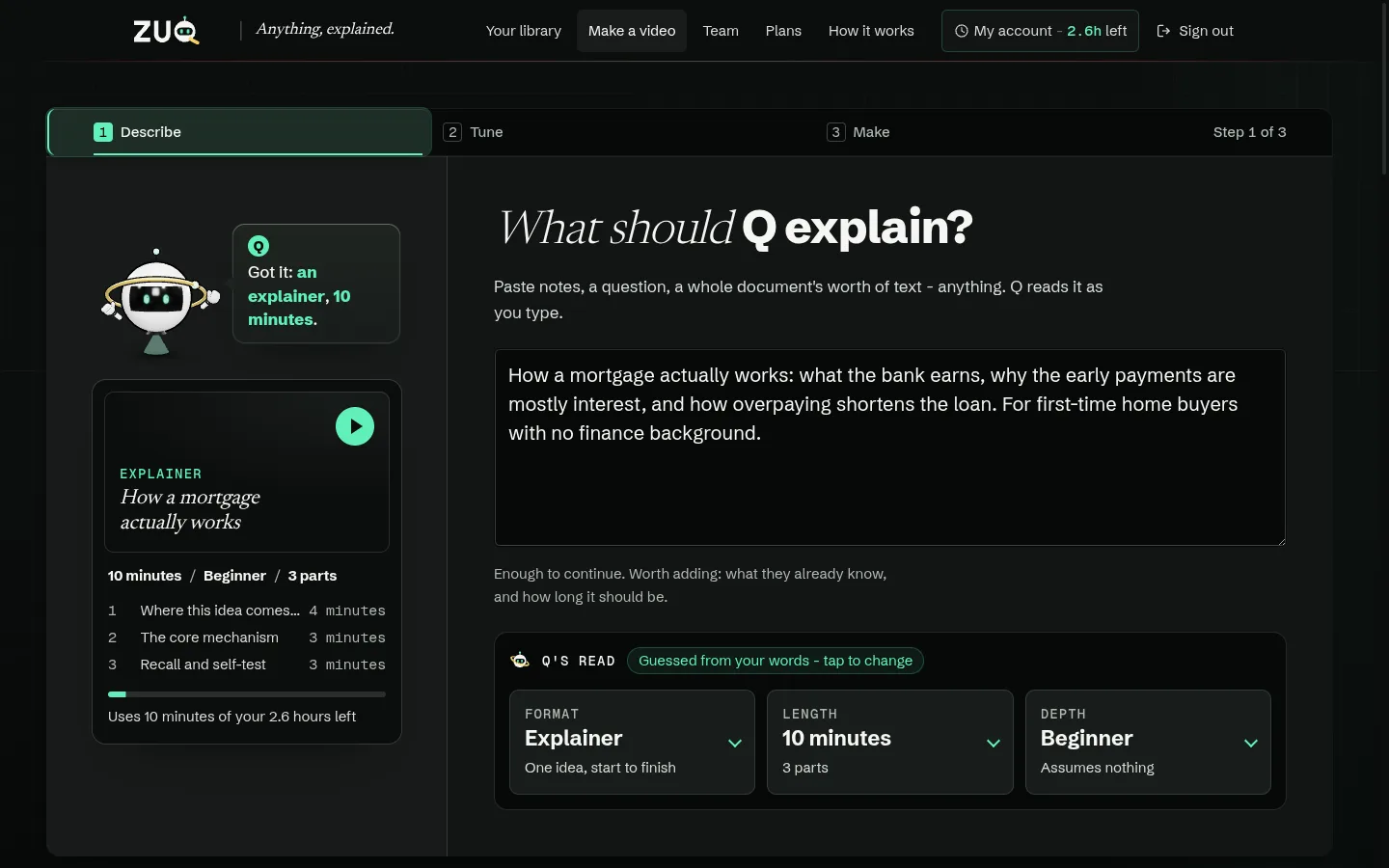
You do not have to pick before you start. On the Describe step, Q reads what you type and proposes a format, a length and a depth. Any of the three can be changed with one tap.
How the format is chosen
Under the Describe box, a panel called Q's read shows three dials: Format, Length and Depth. While you type, Q guesses each one from your words and marks the guess as "Guessed from your words - tap to change".
- Type what needs explaining in the Describe box.
- Look at the Format dial in Q's read.
- If the guess is wrong, open the Format dial and pick Explainer, Training course or Document video.
- Check the Length and Depth dials the same way, then continue.
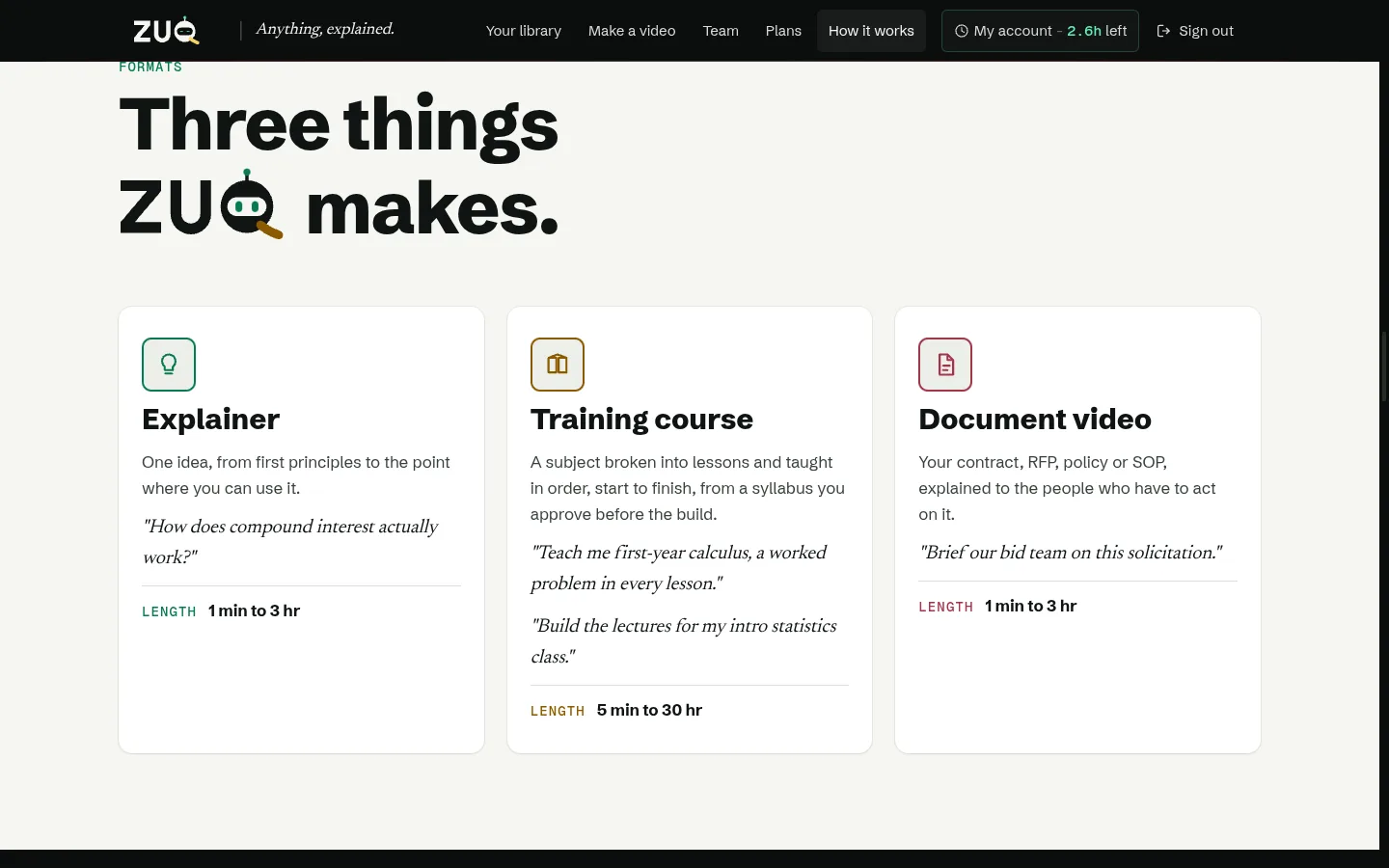
Explainer: one idea, start to finish
An Explainer answers one question or teaches one concept. One idea, taken from first principles to the point where you can use it. It is the right choice for a single topic such as "how compound interest works" or "what an eigenvector does".
Lengths offered: 1 minute, 3 minutes, 5 minutes, 10 minutes, 15 minutes, 30 minutes, 1 hour, 3 hours. The default is 10 minutes. A longer explainer is planned in more parts, and each part has its own job.
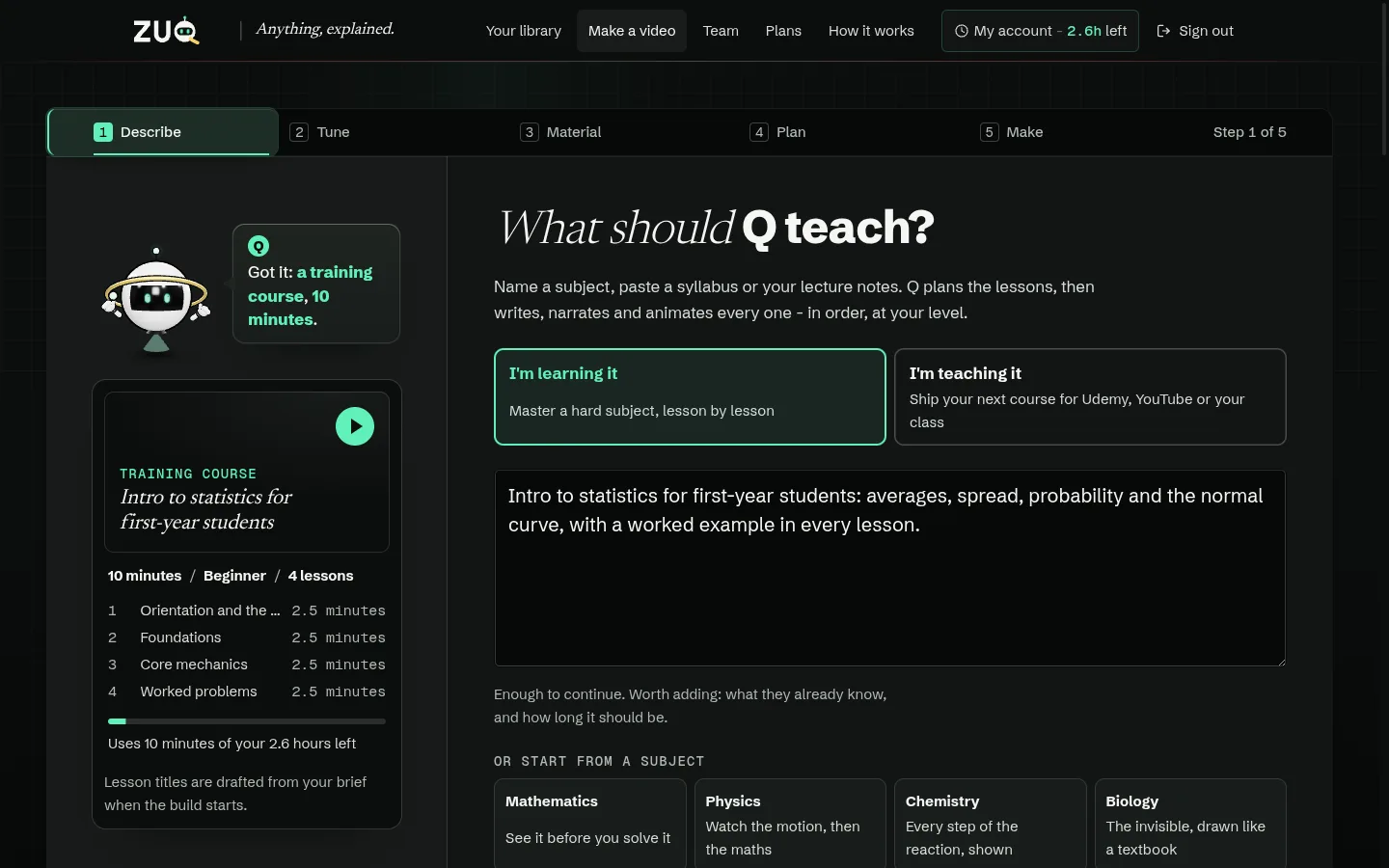
Training course: lessons taught in order
A Training course breaks a subject into lessons and teaches them in order, from prerequisites to practice. Learn a hard subject lesson by lesson - or build your next course for your own students. A course has 2 to 60 lessons, at most one per minute of runtime, and each lesson is built as videos of up to 3 minutes; a longer lesson is split into parts.
Lengths offered: 5 minutes, 10 minutes, 15 minutes, 30 minutes, 1 hour, 3 hours, 12 hours, 30 hours. The default is 1 hour. A course adds two steps to the composer: Material, where paid plans can upload study material, and Plan, where you review and approve the lesson plan before anything is built.
On the Describe step a course also asks who it is for: "I'm learning it" or "I'm teaching it". Teaching is for building lectures you will publish or give to your own students.
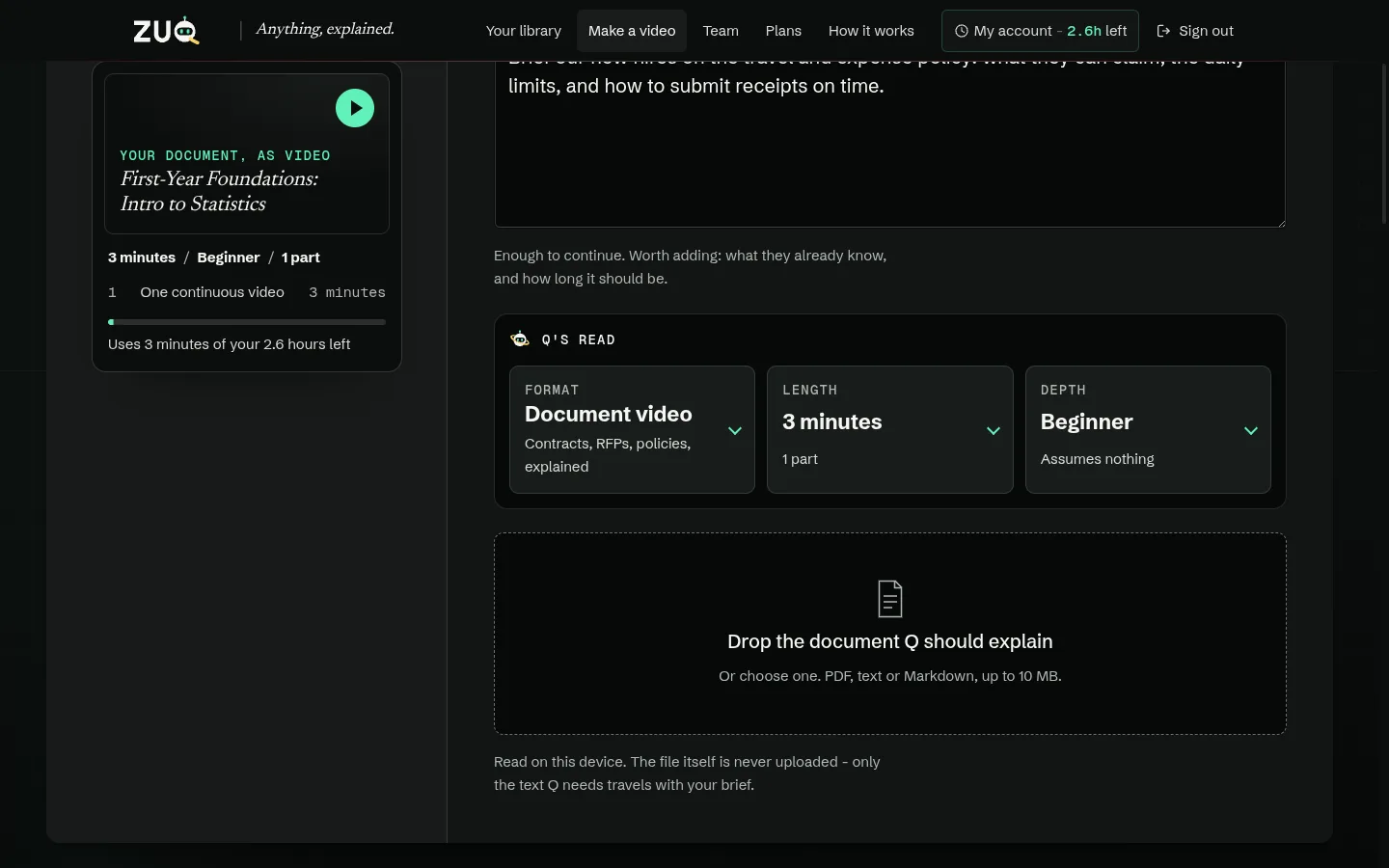
Document video: your file, explained
A Document video explains a document to the people who have to act on it: a contract, an RFP, a policy, an SOP or a handbook. Your contract, RFP, policy or SOP, explained to the people who have to act on it.
Drop a PDF, a text file or a Markdown file on the Describe step (a PDF up to 50 MB, a text or Markdown file up to 10 MB), or paste the text into the box. A PDF or text file is read in your browser: its whole text layer, up to 2,000,000 characters per document. The file itself is never uploaded; only its text travels with your request. Q finds the document's sections and key facts - money, dates, duties, risks and defined terms - and you choose what the video is for, who has to understand it, which facts it must cover and, for a long document, which sections to teach.
Lengths offered: 1 minute, 3 minutes, 5 minutes, 10 minutes, 15 minutes, 30 minutes, 1 hour, 3 hours. The default is 3 minutes, because a business audience finishes a short video.
Formats and your plan
Every format is available on every plan. On the Free plan a single video runs up to 10 minutes; longer lengths show in the Length dial marked "(paid plans)". Paid plans reach 30 hours for a Training course.
Questions
What is the difference between an Explainer and a Training course?
An Explainer covers one idea in one video, up to 3 hours. A Training course covers a whole subject as a sequence of lessons, from 5 minutes to 30 hours, and lets you approve the lesson plan before it is built.
Can I turn a long document into a course?
Yes. A Document video stops at 3 hours. For a book or a long manual, choose Training course; on a paid plan you can upload the PDF on the Material step and the lessons follow its chapters.
Which file types does a Document video take?
PDF, plain text and Markdown (a PDF up to 50 MB, a text or Markdown file up to 10 MB). Its whole text is read in your browser, up to 2,000,000 characters. There is no DOCX, PPTX or EPUB path; save the file as PDF first.
Can I change the format after the video is made?
Not in place. Use Make it again from the video page to start a new build with the same brief, then pick a different format on the Describe step.