Docs - Making videos
Video lengths and what each plan allows
In short
A video costs exactly the minutes it runs for: a video of 10 minutes uses 10 minutes of your allowance. Free includes 10 minutes of video a month, watermarked, no card needed. On Free, each video runs up to 10 minutes; paid plans make videos up to 30 hours.
Updated
Longer videos (up to 30 hours) and study-material uploads (PDF books and photos of pages) are on the paid plans. There is no limit on how many videos you make; only minutes run out.
Lengths by format
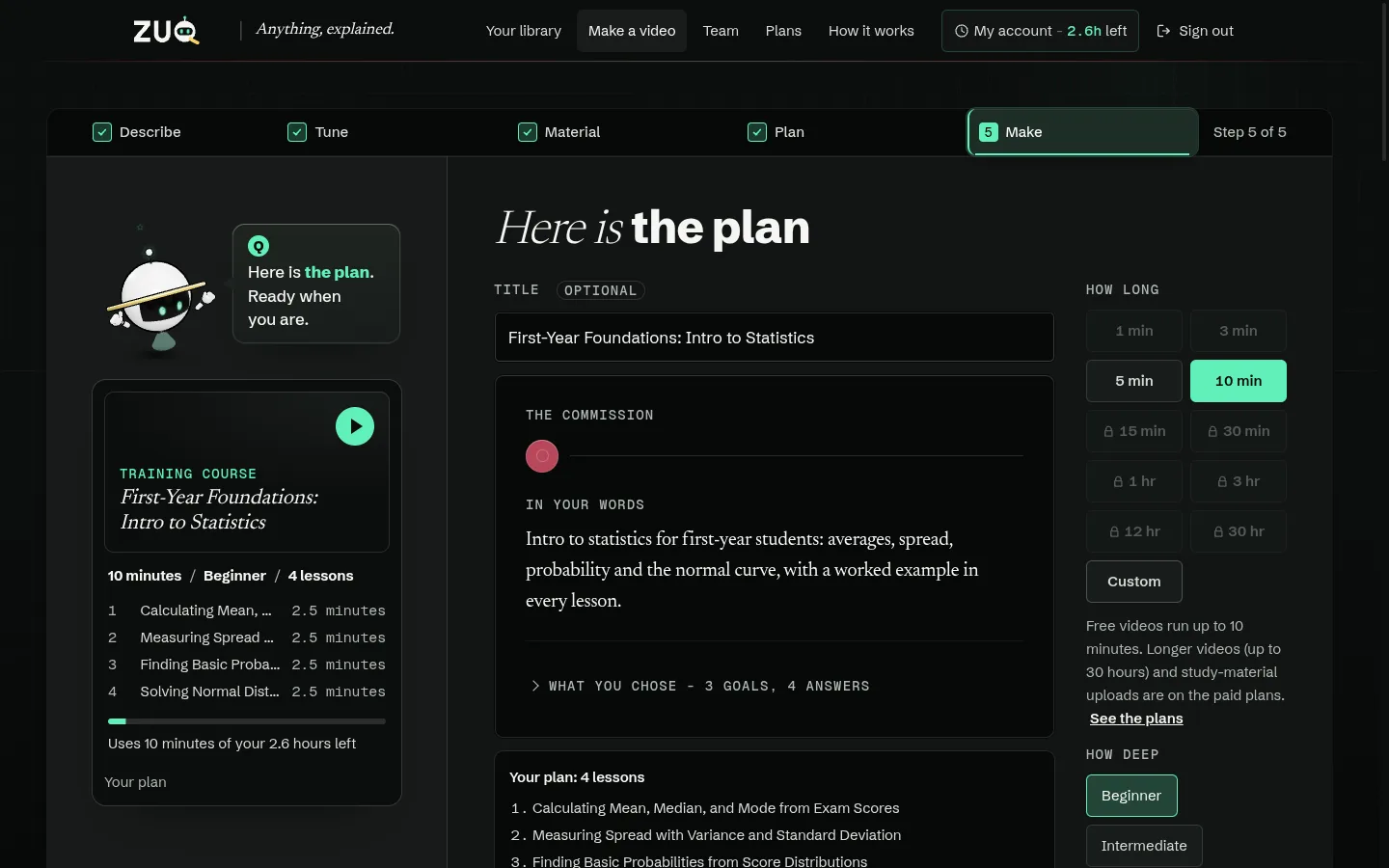
The length chips on the Make step are 1 minute, 3 minutes, 5 minutes, 10 minutes, 15 minutes, 30 minutes, 1 hour, 3 hours, 12 hours, 30 hours, plus Custom for any hours and minutes in between. A chip the format cannot take stays visible but is switched off, with the reason underneath.
- Explainer: 1 minute to 3 hours.
- Training course: 5 minutes to 30 hours.
- Document video: 1 minute to 3 hours.
Choose a length
- On the Describe step, open the Length dial in Q's read and pick a length, or keep Q's suggestion.
- On the Make step, change it with the length chips if you need to.
- For a length that is not a chip, choose Custom, type hours and minutes, and press Set or Enter.
- Check "This build" on the Make step: it shows the minutes the video uses against what you have left.
What each plan allows
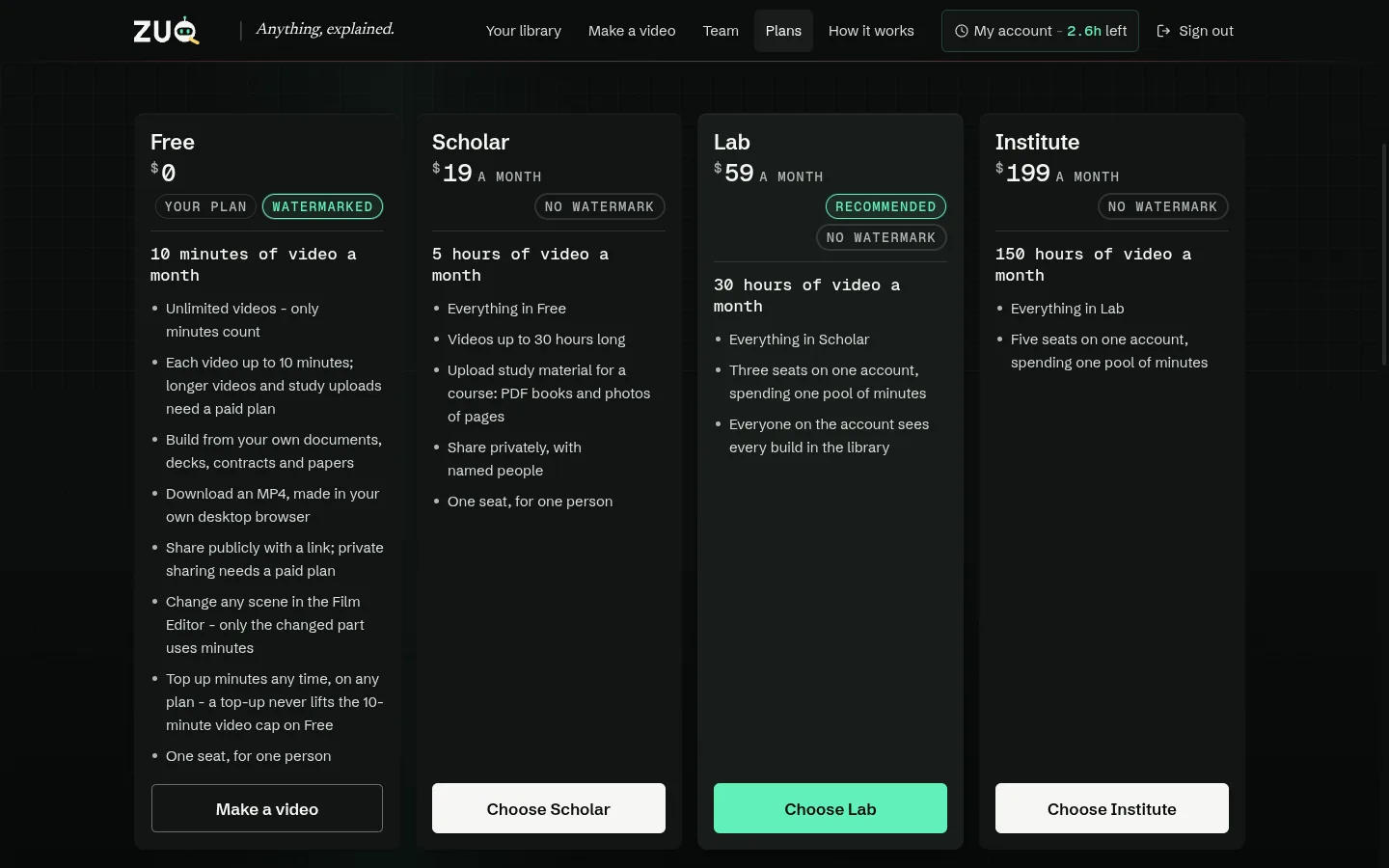
Every plan makes every format, with no limit on the number of videos and no download limit. Lab and Institute are team plans: their seats share one pool of minutes.
- Free: $0 a month, 10 minutes of video a month, each video up to 10 minutes, 1 seat, watermarked.
- Scholar: $19 a month, 300 minutes of video a month, each video up to 30 hours, 1 seat, study-material uploads, sharing with named people.
- Lab: $59 a month, 1800 minutes of video a month, each video up to 30 hours, 3 seats, study-material uploads, sharing with named people.
- Institute: $199 a month, 9000 minutes of video a month, each video up to 30 hours, 5 seats, study-material uploads, sharing with named people.
Why the Free plan caps each video
On Free, a single video runs up to 10 minutes, the same as the monthly allowance. Longer lengths stay visible in the Length dial and on the chips, marked "(paid plans)" or with a padlock. Buying top-up minutes adds minutes but does not lift this cap; only a paid plan does.
Upgrade for longer videos
- Open the plans page at /plans, or follow the link under a locked length.
- Choose Scholar, Lab, Institute and pay on the secure checkout page.
- Return to the composer. Your new allowance and lengths apply once the payment is confirmed.
Questions
What is the longest video ZUQ can make?
A Training course of up to 30 hours on a paid plan. Explainers and document videos run up to 3 hours. On Free, every video is up to 10 minutes.
Does a deeper level cost more?
No. Depth changes how the video teaches, never what it costs. Only the length is billed.
Do top-up minutes let a Free account make longer videos?
No. Top-ups add minutes on any plan, but on Free each video still stops at 10 minutes.
What happens if I do not have enough minutes?
The Make step shows the shortfall before anything is spent. Pick a shorter length, buy a top-up, or move to a larger plan.