Docs - Watching and sharing
Transcripts and captions
In short
Every narrated video has a transcript and captions made from its own narration. Read the transcript scene by scene on the video page, and download captions as .srt or .vtt or the transcript as .txt from Tools.
Updated
Captions are timed per sentence from the scene times, not word by word. They are ready once the build has finished.
Read the transcript on the video page
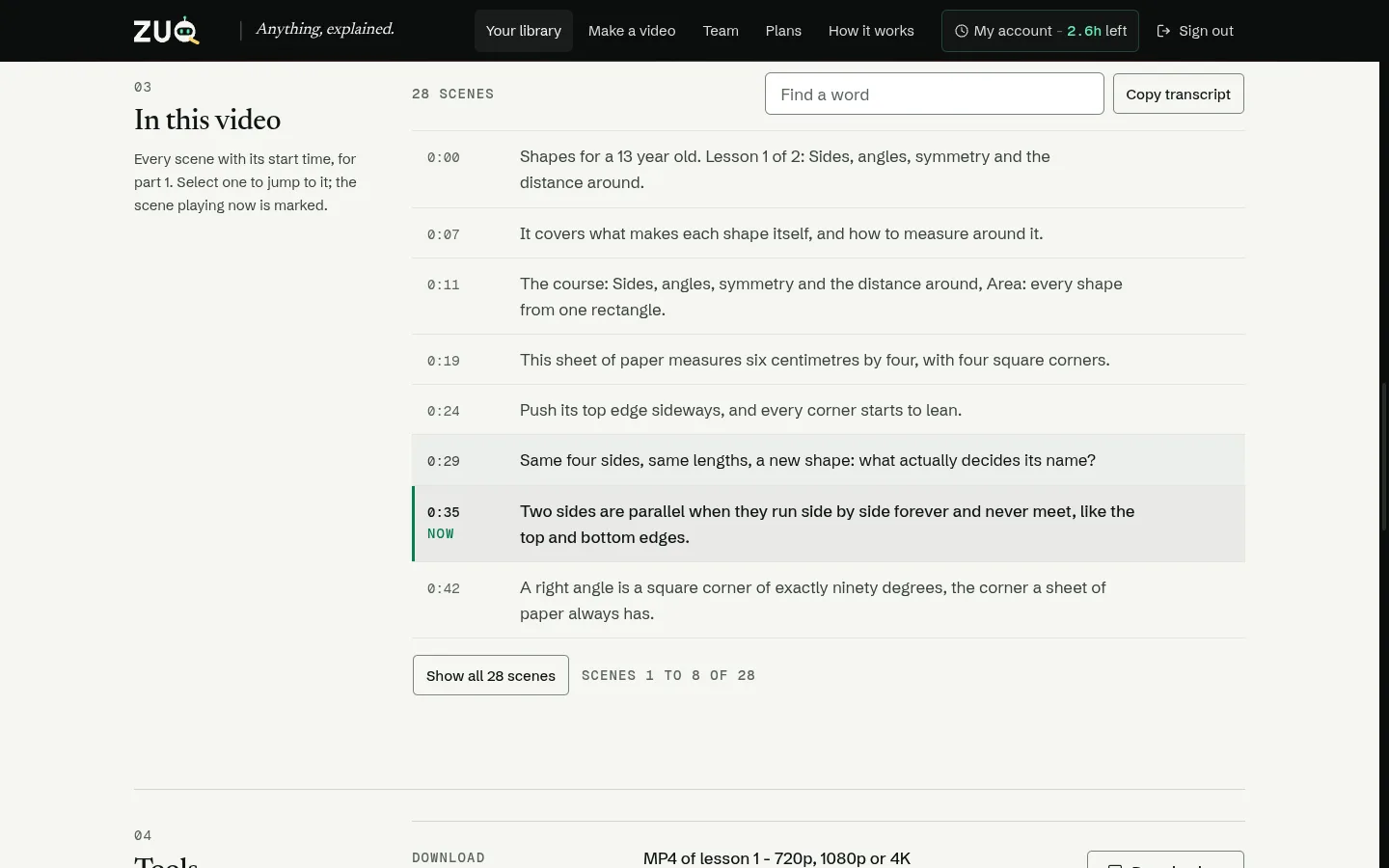
The "In this lesson" section (In this video on a single video) is the transcript set out as a timeline: one row per scene, with its start time on the left and the narration beside it. The current scene is marked Now while the video plays.
- Open the video from Your library.
- Scroll to In this lesson.
- Choose a row to jump the player to that scene.
- Type in the search field to find a word or phrase in the narration.
Download captions and the transcript
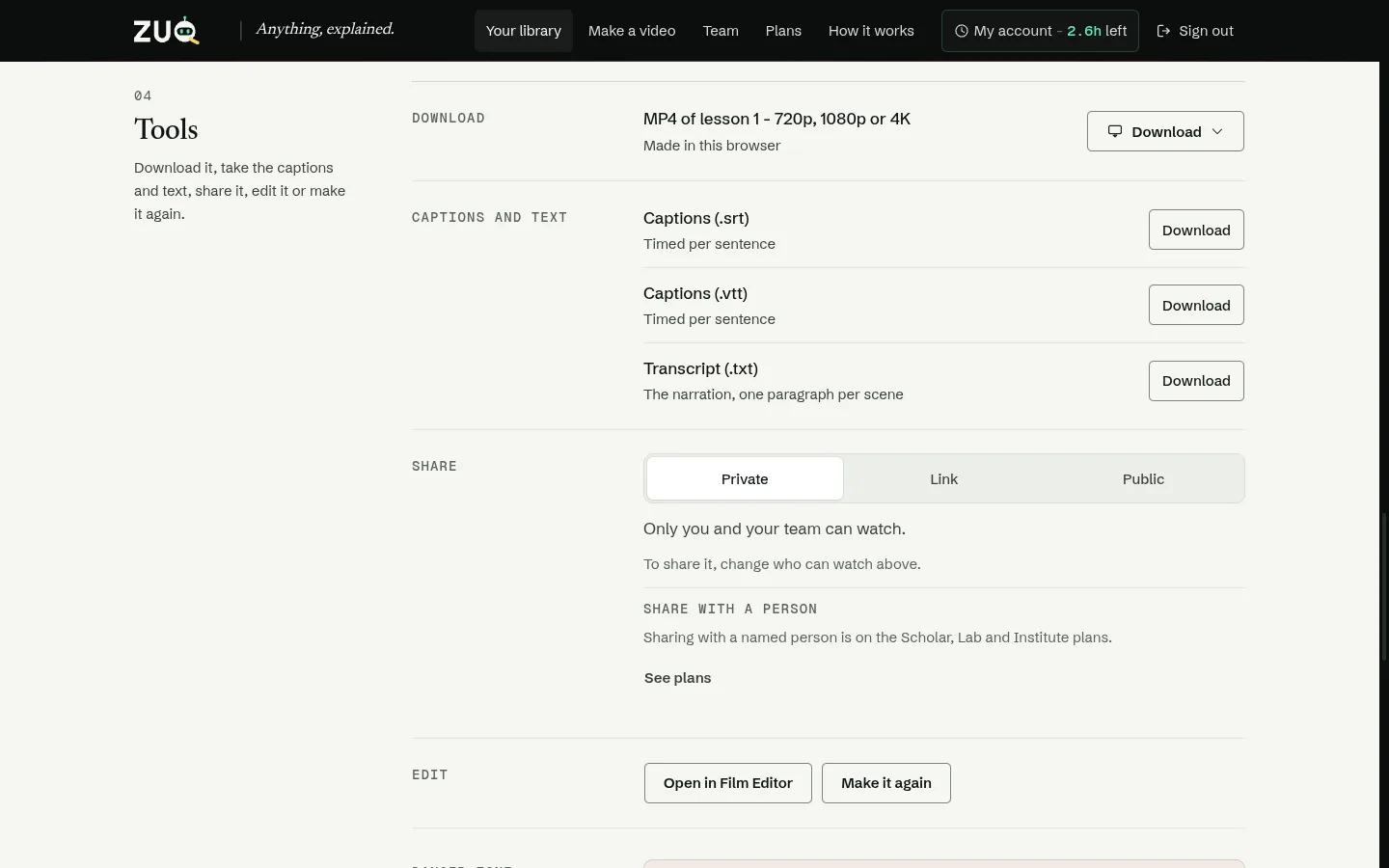
- On the video page, open Tools and find Captions and text.
- Choose Download next to Captions (.srt) or Captions (.vtt) for a captions file.
- Choose Download next to Transcript (.txt) for the narration as plain text, one paragraph per scene.
- .srt (SubRip) is the format most video players, editors and course platforms accept.
- .vtt (WebVTT) is the format for HTML5 video players on the web.
- .txt is the narration only, for reading, notes or translation.
Export a whole course for a course platform
A course of several lessons adds a Lessons section at the top of Tools:
- All captions (.srt): one captions file per lecture, saved one after another.
- Course outline (.txt): the lectures, their lengths and objectives, for a curriculum page.
YouTube chapters from the Film Editor
The Film Editor's Export menu has the same captions and transcript files, plus YouTube chapters: chapter lines you copy and paste into a video description. It needs at least 3 chapters of 10 seconds or more.
Questions
Are the captions word-accurate in timing?
They are timed per sentence. Each scene's time is shared across its sentences by length, so a caption appears with its sentence rather than word by word.
Why are there no captions for my video yet?
Captions and transcripts are ready when the build finishes. While it is building, Tools says so.
Can I edit the captions?
Change the narration in the Film Editor and apply it; the new version's captions follow the new narration. You can also edit the downloaded .srt or .vtt file in any text editor.
Do captions work with my LMS?
Most learning platforms and video players accept .srt or .vtt. Upload the file next to the MP4 you downloaded.