Docs - Getting started
How to write a good brief
In short
A good brief names three things: what needs explaining, who the video is for, and what they should be able to do after watching. One or two sentences that cover those three get a better video than a long paragraph that covers one.
Updated
You write the brief on the Describe step, in plain words, up to 4000 characters. The Tune step then asks a few quick questions, each already answered, so you only change what Q got wrong.
Write the brief on the Describe step
- Open the composer and type into the box under "What should Q explain?" ("What should Q teach?" for a Training course).
- Say the topic in the first sentence.
- Say who it is for, such as "new support agents" or "a first-year engineering student".
- Say what they should be able to do afterwards, such as "price a bond" or "know when to escalate".
- Check Q's read under the box and correct the Format, Length or Depth if needed.
- Press Continue.
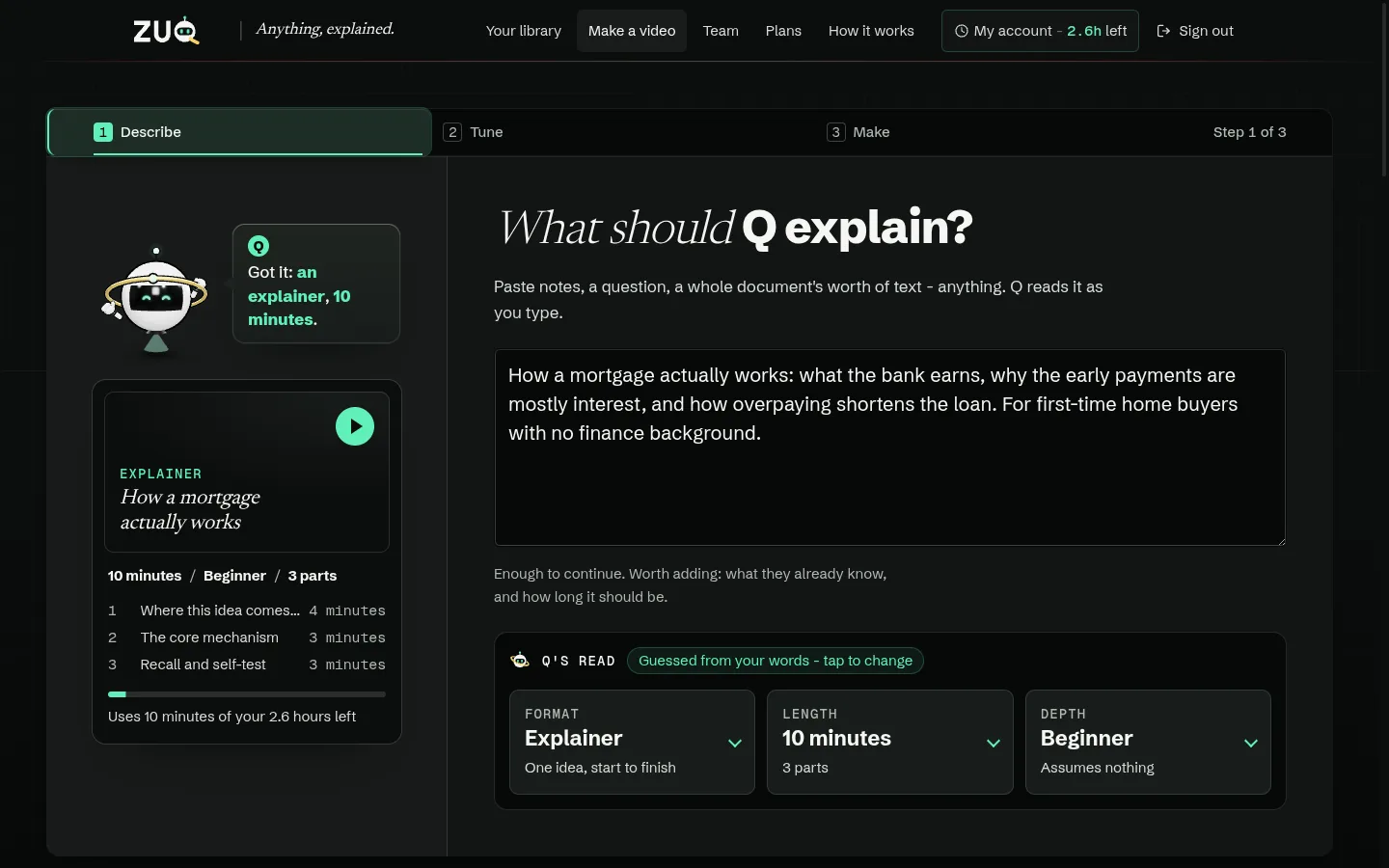
Examples of strong and weak briefs
A weak brief names a topic only. A strong brief adds the audience and the outcome.
- Weak: "Compound interest." Strong: "Explain how compound interest works from scratch, with one picture that makes it click, for someone opening their first savings account."
- Weak: "Onboarding." Strong: "A four-module onboarding course for new support agents: our product, our tools, handling a difficult customer, and when to escalate."
- Weak: "Our contract." Strong: "Here is our 12-page supplier contract. Explain what we are committing to, the renewal and exit terms, and anything with a penalty."
Pick the right depth
Every video is pitched at one of 4 depths: Beginner, Intermediate, Advanced, Expert. The depth changes how the video teaches, never what it costs.
- Beginner: Assumes nothing. Every idea is built from first principles, in order.
- Intermediate: Assumes the vocabulary. The video moves at working pace and skips the basics.
- Advanced: Assumes the formalism. The video goes straight at the hard parts.
- Expert: Assumes the literature. No recap, no analogies, full speed.
Answer the Tune questions
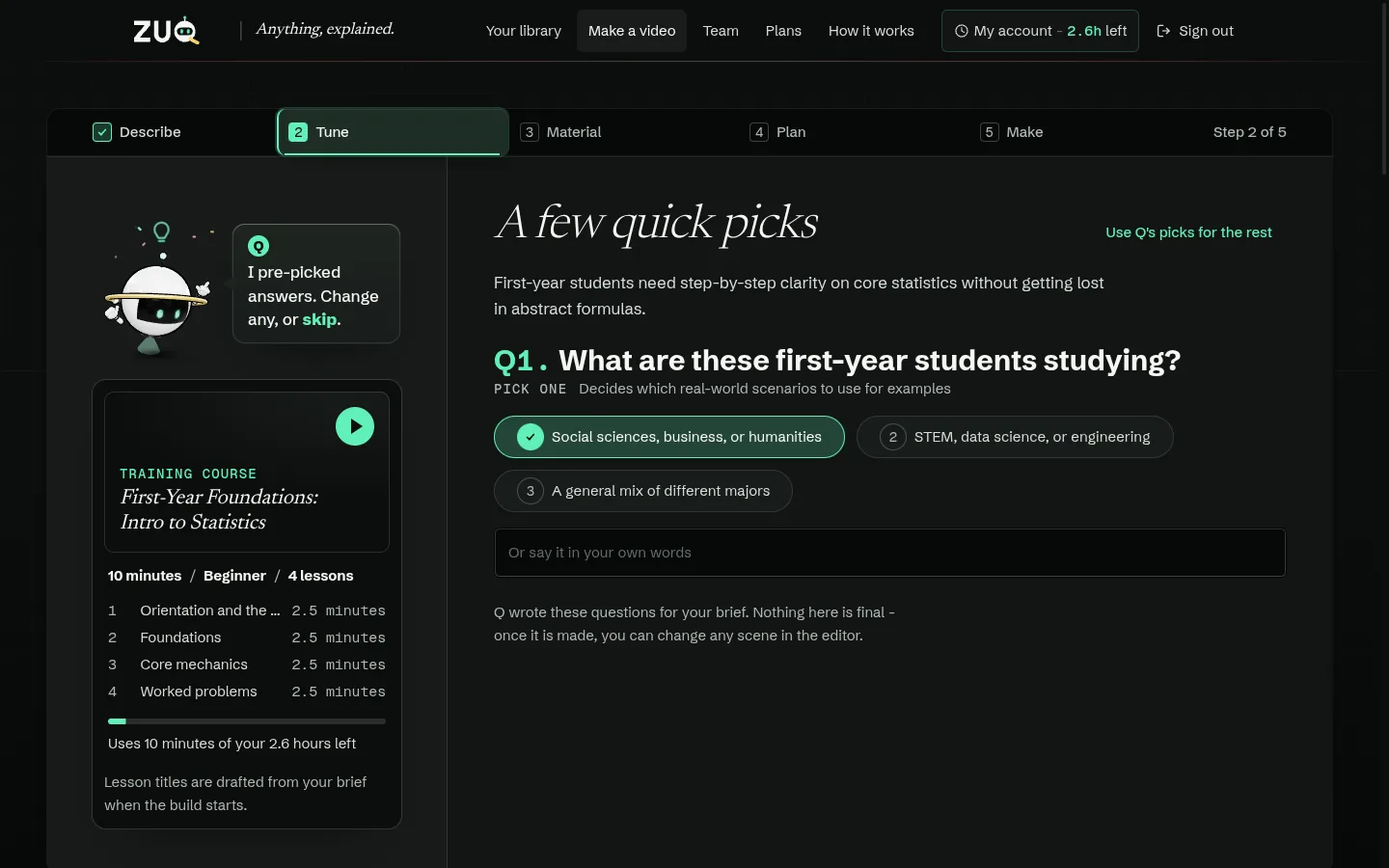
The Tune step shows the questions a producer would ask about your brief, one card at a time, each already answered with a sensible default. The last card asks what the video must achieve.
- Read each card under "A few quick picks". Q has ticked what it thinks you are after.
- Change any answer that is wrong, or add your own.
- On the last card, tick or write what the video must achieve.
- To accept every remaining default at once, press Use Q's picks for the rest.
Add notes on the Make step
The Make step shows the title, what Q will teach, the length, the depth and the minutes the build uses. The optional "Anything else Q should know" box is the place for anything the brief left out: a chapter that must be there, a term to avoid, an example to use. Then press Make the video (or Make the course for a Training course).
Questions
How long should a brief be?
One or two sentences is usually enough. The box takes up to 4000 characters if you want to paste notes or document text; drop a longer document as a file instead.
Why does Continue ask me to tell Q a bit more?
The brief is too short to plan from. Add a sentence that says who the video is for or what they should be able to do afterwards, then press Continue again.
What if Q guesses the wrong format or length?
Tap the Format, Length or Depth dial in Q's read on the Describe step and pick the right one. Your choice replaces the guess.
Do I have to answer every Tune question?
No. Every card is already answered. Press Use Q's picks for the rest to accept them all and go straight on.