Docs - Watching and sharing
Download a video as an MP4
In short
You can save any finished video as an MP4 at 720p, 1080p or 4K. The file is saved straight to your downloads. No plan has a download limit.
Updated
Downloading needs a desktop Chromium-family browser: Google Chrome, Microsoft Edge, Brave or Opera. Other browsers, and phones and tablets, watch online instead.
Download the MP4
- Open the video from Your library in Chrome, Edge, Brave or Opera on a computer.
- Choose Download, under the title or in the Download section of Tools.
- Pick a size from the menu: 720p, 1080p or 4K.
- Keep the tab open while it saves. The button reads Downloading... until the file is finished.
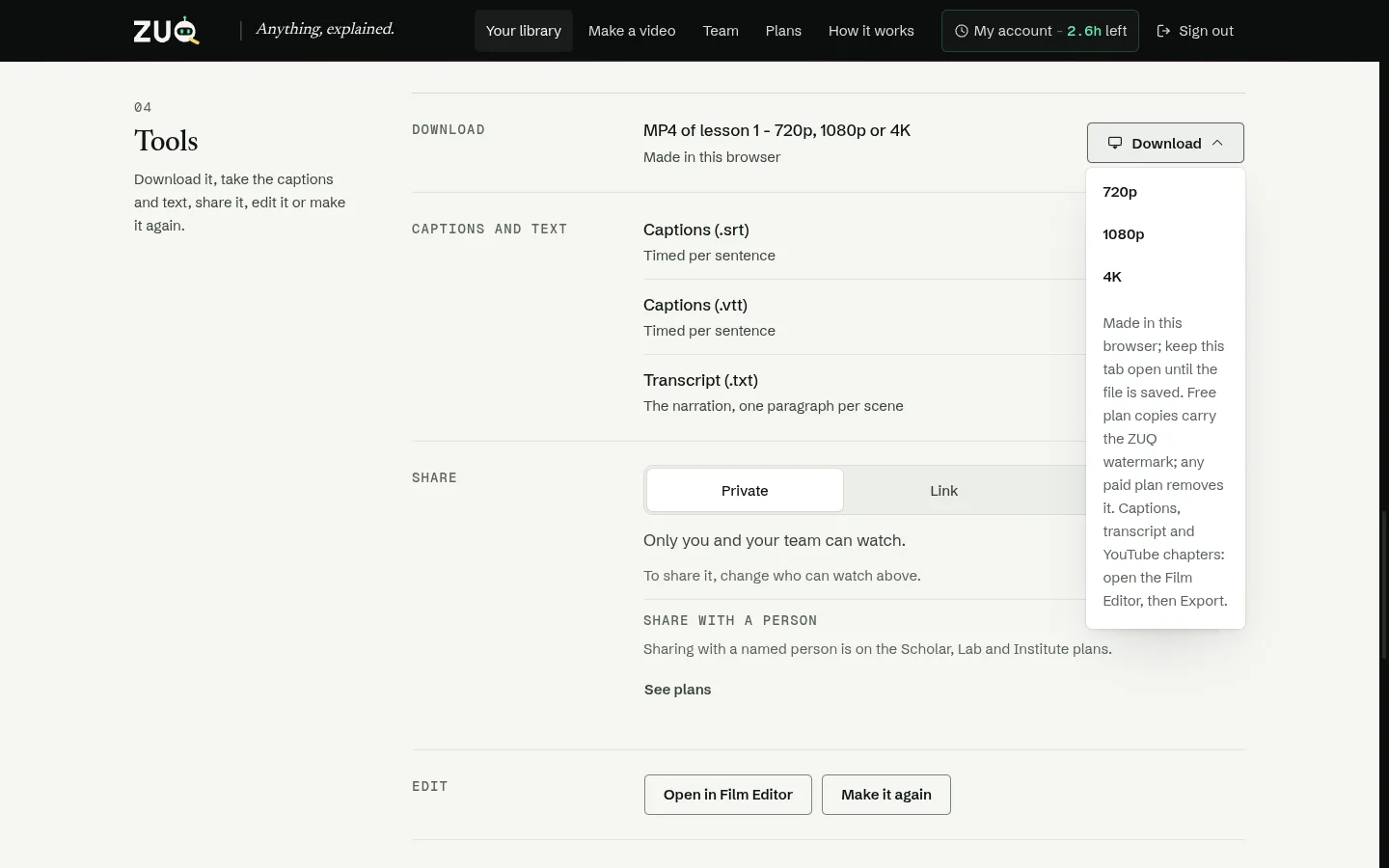
Which sizes your computer can make
When you open the menu, each size this computer cannot download is greyed out with "Not available in this browser" under it. 4K needs a recent computer; 720p and 1080p work on most.
Download a lesson of a course
A course saves one lesson at a time. Select the lesson in the Lessons rail, then choose Download. The file is named after the lesson.
The same MP4 is in the Film Editor's Export menu, for the version you have open.
One download at a time
Only one download runs at a time, across all your tabs. If you start a second one, ZUQ says: "You already have a download in progress. Let it finish, then try again." Leaving the page while a download runs asks you to confirm first.
Watermark
Videos made on the Free plan carry a watermark, in the player and in the downloaded file. Paid plans have none.
Questions
Why is there no Download button in my browser?
The control says "Downloads need Chrome, Edge, Brave or Opera on a computer. You can still watch here." when this browser cannot download. Open the video in Chrome, Edge, Brave or Opera on a desktop or laptop computer.
Can I download on a phone or an iPad?
No. Phones and tablets watch online only; a long film does not fit their memory. Download on a computer, then copy the file across.
Is there a limit on downloads?
No. Every plan can download any of its videos, as often as it likes, in a desktop Chromium-family browser.
The download stopped. What do I do?
Choose Download again and keep the tab open until it finishes. If it keeps stopping, pick a smaller size.